React and Next.js development: rendering modes and SEO explained
A guide to React and Next.js rendering modes, static generation, server rendering, incremental regeneration and client rendering, and how each affects SEO and speed.
The Gihonix team · · 4 min read
Key takeaways
- Rendering mode decides when your HTML is produced, and that affects speed, freshness and how easily search engines read the page.
- Pages that must rank should send meaningful HTML in the first response.
- Static or cached rendering suits content that changes rarely; server rendering suits personalised or fast-changing data.
- Mix modes per page instead of choosing one for the whole site.
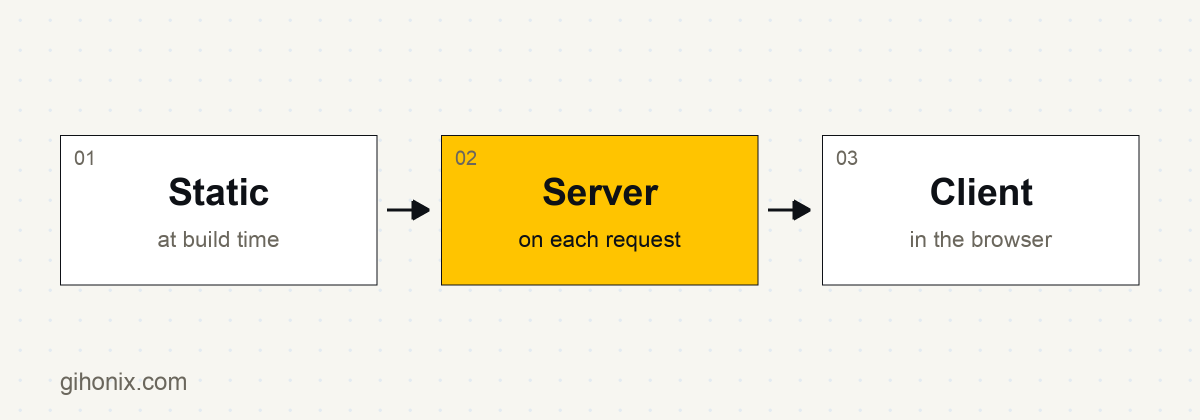
Rendering modes describe when and where a React page is turned into HTML. In Next.js the main choices are static generation, server-side rendering, incremental regeneration and client-side rendering, and the best one for each page depends on how often its content changes and whether it needs to rank in search.
React is a JavaScript library for building user interfaces. Next.js is a framework on top of React that adds routing, rendering options and performance features. See the official Next.js documentation and React documentation.
What are the main rendering modes?
| Mode | When HTML is made | Good for | SEO notes |
|---|---|---|---|
| Static generation | At build time | Marketing pages, docs, blogs | HTML ready on first response; very fast |
| Server-side rendering | On each request | Personalised or frequently changing pages | HTML ready on first response; depends on server speed |
| Incremental regeneration | At build, then refreshed on a schedule or on demand | Catalogues, news, content that changes sometimes | HTML ready; fresher than pure static |
| Client-side rendering | In the browser, after JavaScript loads | Dashboards, logged-in tools | Search engines may need to run JavaScript to see content |
Next.js has evolved its routing and caching model across versions, so check the current docs for exact option names before you build.
Why does rendering affect SEO?
Search engines fetch your page and read the HTML. Google can run JavaScript, but rendering JavaScript takes extra processing and can delay or limit what gets indexed. Google's own guidance is in its JavaScript SEO basics.
Other crawlers, including some AI assistants and social preview bots, may not run JavaScript at all. If your key text only appears after scripts run, those systems may see an empty page. The safest approach is to deliver meaningful content, headings and links in the first HTML response.
How do you choose a mode for each page?
Ask these questions in order:
- Does the page need to rank or be quoted? Use static or server rendering so content is in the HTML.
- Does the content change rarely? Use static generation.
- Does it change often but is the same for everyone? Use incremental regeneration or short-lived caching.
- Is it personalised, such as an account page? Use server rendering or client rendering, depending on whether it needs indexing. Account pages usually do not.
- Is it a logged-in dashboard? Client rendering is usually fine.
What other SEO details matter in Next.js?
Rendering is only one part. Also check:
- Unique titles and meta descriptions on each page.
- Canonical URLs, so duplicates do not compete.
- A sitemap and a sensible robots file.
- Structured data where it applies.
- Real links between pages, not only click handlers.
- Image sizing and loading, so pages stay fast.
- Redirects for any URL that changes.
What are common mistakes?
- Fetching all content in the browser for a page that needs to rank.
- Blocking scripts or content that crawlers need.
- Using one rendering mode for everything.
- Forgetting that slow server rendering hurts response time.
- Shipping large JavaScript bundles that delay interactivity.
When is React or Next.js the right tool?
They are well suited to interactive products, content sites with rich behaviour and front ends that sit on an API, for example a Laravel back end. For simpler content sites, a CMS such as WordPress may be faster to launch. If you want editors to manage content in one system and display it in Next.js, see headless CMS and headless WordPress.
Work with Gihonix
Gihonix is a software, AI and web development company based in Coimbatore, India. Our React and Next.js development team builds fast, search-friendly front ends for clients in Coimbatore, across India and worldwide. Contact us to plan yours.
Frequently asked questions
Is Next.js good for SEO?
It can be, because it can send full HTML in the first response. Results still depend on content quality, metadata, speed and site structure.
Can Google index a client-side rendered React site?
Google can render JavaScript, but it adds processing and delay. For pages that must rank, send content in the HTML.
What is the difference between SSR and static generation?
Static generation builds the page once, ahead of time. Server-side rendering builds it each time someone requests it.
Do I need Next.js to use React?
No. React can be used alone, but Next.js adds routing and rendering features that help with SEO and performance.